Intro
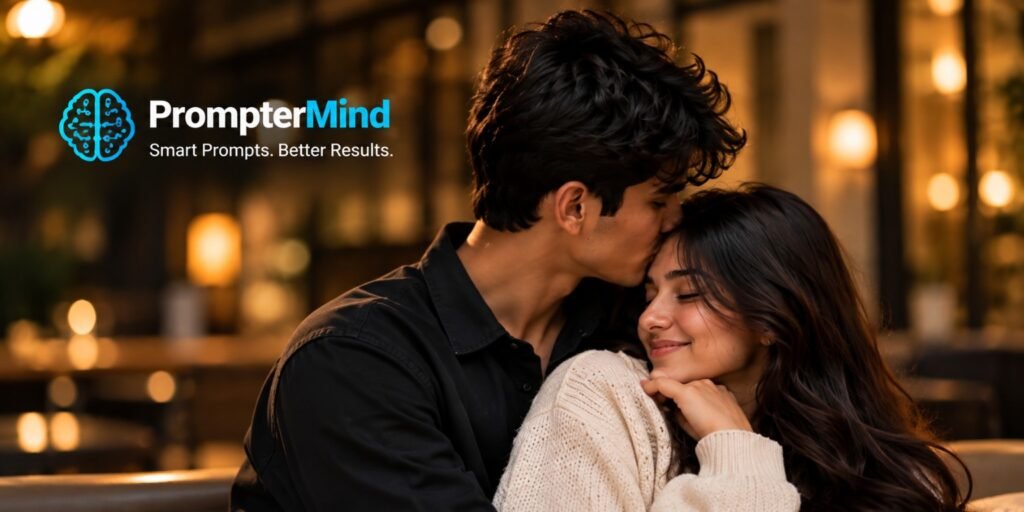
Create a warm and realistic romantic couple portrait with a cozy indoor atmosphere, soft golden lighting, natural expressions, and a cinematic photography style. This AI photo prompt is designed to create a natural-looking couple photo while keeping the image realistic and visually appealing.
AI Prompt
Create a highly realistic cinematic portrait of a young couple in a cozy indoor room during the evening.The man has naturally textured dark curly hair and is wearing a simple black shirt. He gently kisses the woman’s forehead while she smiles softly with her eyes closed.The woman has long natural wavy dark hair and is wearing a cozy cream-colored knitted sweater. Keep both people natural and realistic, with authentic facial expressions and accurate body proportions.Use warm indoor ambient lighting with beautiful golden bokeh lights in the background. Add soft shadows, realistic skin texture, detailed hair and natural clothing texture use a shallow depth of field so that the couple remains the main focus while the background appears softly blurred. Apply subtle cinematic color grading with warm and natural skin tones.Create the image in a professional lifestyle photography style with realistic camera depth, natural lighting and photorealistic details.Keep the pose affectionate but natural.Make the overall photograph look like a professionally captured real-life couple portrait.Do not add any text, logo, website name, watermark, signature or artificial graphic elements.
How to Create This Look
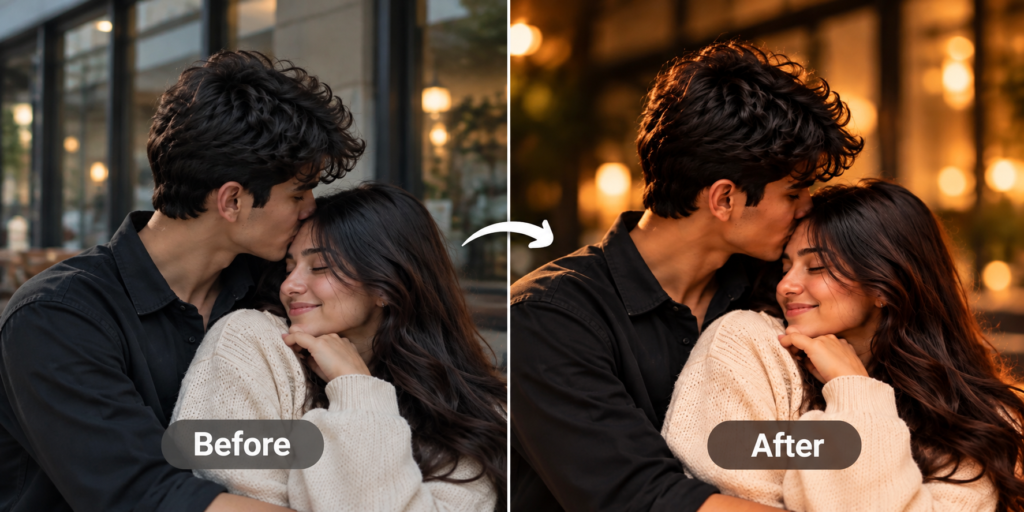
- Upload a clear couple photo to your preferred AI image editor.
- Use the complete prompt above.
- Keep the couple’s facial features and natural appearance consistent.
- Apply warm indoor lighting and soft golden background bokeh.
- Use a shallow depth-of-field effect to separate the couple from the background.
- Add cinematic color grading with warm skin tones and natural contrast.
- Generate the image and make small adjustments if required adjusting the light clothing or background while keeping the couple’s natural appearance consistent.
What Makes This Prompt Work
This prompt works because it describes the subject, pose, environment, lighting and photography style together.
First, the forehead-kiss pose creates a natural romantic moment. In addition, the cream sweater and black shirt provide simple visual contrast.
The warm indoor lighting also creates a comfortable evening atmosphere. Meanwhile, the golden bokeh gives the background a professional photography effect.
Furthermore, realistic skin texture, natural hair and accurate body proportions help the generated image appear more believable.
As a result, the final image can look more like a real lifestyle photograph instead of an artificial AI-generated scene.
Best Uses
- Instagram couple posts
- Romantic photo editing
- Couple profile pictures
- Anniversary photos
- Birthday or special-day posts
- Social media content
- AI photography experiments
- Personalized couple portraits
Romantic Couple Portrait AI Photo Prompt
Creating a realistic romantic couple portrait with AI becomes easier when the prompt clearly explains the people, environment, lighting, expressions and photography style. This romantic couple portrait AI photo prompt is designed for anyone who wants to create a warm, natural and cinematic couple photo without needing professional photography equipment.
The prompt focuses on a cozy indoor environment with soft golden lighting and beautiful background bokeh. The couple is shown in a natural and affectionate moment, with the man gently kissing the woman’s forehead while she smiles. This simple pose creates an emotional and realistic feeling without making the photograph look overly staged.
One of the most important parts of this prompt is the lighting. Warm indoor light creates a comfortable evening atmosphere, while soft background lights add depth to the photograph. The shallow depth of field keeps attention on the couple and gives the background a professional photography effect.
The romantic couple portrait AI photo prompt also describes realistic skin texture, natural hair, authentic expressions and realistic body proportions. These details can help an AI image generator produce a more believable result. Adding cinematic color grading and professional portrait photography instructions can further improve the overall visual appearance.
You can use this AI photo prompt for Instagram posts, couple profile pictures, anniversary memories, birthday posts and other social media content. It can also be useful for people who want to experiment with AI photography and learn how detailed prompts affect the final image.
For better results, start with a clear reference image and make sure the faces are visible. You can adjust the clothing, background, lighting and pose according to your preferred style. Avoid adding unnecessary instructions that could make the prompt confusing.
Overall, this romantic couple portrait AI photo prompt provides a simple way to create a warm, realistic and cinematic couple image. By combining natural expressions, soft lighting, realistic details and professional photography techniques, you can create an attractive AI-generated portrait suitable for many creative and social media purposes.
FAQs
1. What is a romantic couple portrait AI photo prompt?
A romantic couple portrait AI photo prompt is a detailed instruction used with an AI image generator to create a realistic and romantic couple photograph.
2. Can I use this prompt with an AI image generator?
Yes. You can use the prompt with compatible AI image-generation or photo-editing tools.
3. How can I make the couple photo look realistic?
Use a clear reference image and describe natural expressions, realistic skin texture, lighting, proportions and professional photography details.
4. Can I change the couple’s clothes?
Yes. You can replace the clothing description with your preferred outfit while keeping the lighting and photography instructions.
5. Can I change the background?
Yes. The indoor background can be changed to a café, bedroom, restaurant, studio or another suitable location.
6. Does the prompt include a logo or watermark?
No. The complete AI prompt is specifically written without a logo, website name, watermark or signature.