Intro
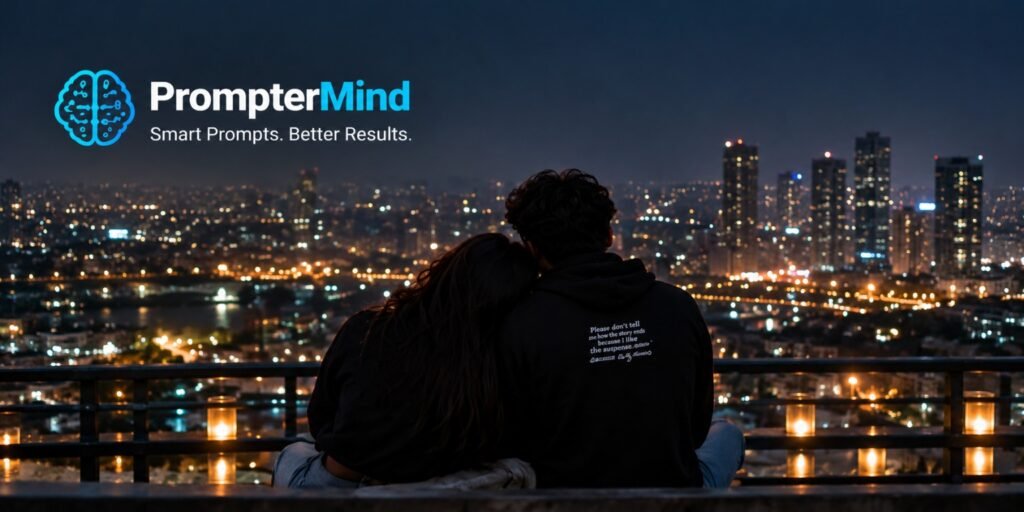
Create a cinematic nighttime couple portrait with a glowing city skyline, soft bokeh lights and a romantic rooftop atmosphere.
AI Prompt
Create a highly realistic cinematic nighttime photograph of a young couple sitting together on a rooftop overlooking a beautiful modern city skyline. Show the couple from behind in a natural affectionate pose, with the woman resting her head gently on the man’s shoulder. The man is wearing a black hoodie and the woman is wearing a casual dark outfit. Add warm candle lanterns along the rooftop railing and hundreds of softly blurred city lights in the background. Use cool navy evening tones mixed with warm golden lights, realistic shadows, natural hair details, realistic clothing texture and professional camera depth. Create a peaceful romantic atmosphere with shallow depth of field, cinematic color grading and realistic photography. Do not add any text, logo, website name, watermark, signature or graphic elements.
How to Create This Look
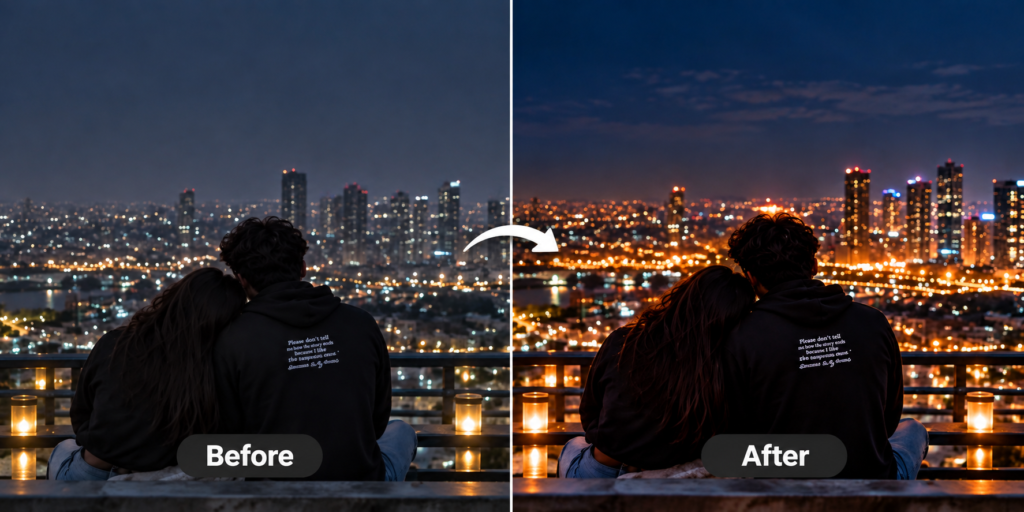
Use a clear couple image, add the prompt, choose a realistic photography model, create a nighttime city environment and enhance the image with warm bokeh lights and cinematic contrast.
What Makes This Prompt Work
The contrast between cool night tones and warm city lights creates depth. The rooftop setting, natural body language and shallow depth of field make the photograph feel realistic.
Best Uses
- Night couple portraits
- Instagram posts
- Rooftop photography
- Romantic profile pictures
- City lifestyle content
- AI photo editing
Night City Couple AI Photo Prompt
Night photography can create a completely different mood from daytime portraits. This night city couple AI photo prompt is designed to create a realistic romantic photograph with a modern city skyline, warm lights and a peaceful rooftop atmosphere.
The prompt places the couple on a rooftop overlooking a glowing city. The woman rests her head on the man’s shoulder, creating a simple and natural romantic moment. Because the couple is photographed from behind, the scene focuses on their body language and the surrounding city atmosphere.
The background contains soft bokeh lights and distant buildings. This creates depth while keeping the couple as the main focus. Warm candlelight near the railing adds another layer of illumination and creates a premium lifestyle photography effect.
The prompt also uses cool navy tones combined with warm golden highlights. This contrast gives the photograph a cinematic appearance while maintaining realistic colors. Detailed clothing texture, natural hair and realistic proportions help the AI create a believable result.
You can use this night city couple AI photo prompt for social media posts, romantic profile pictures, travel content, rooftop photography and AI photo editing projects.
For better results, use a high-quality reference image and keep the couple’s appearance consistent. You can also change the city, clothing and rooftop environment to create different versions.
FAQs
1. Can I use another city skyline?
Yes.
2. Can I change the rooftop setting?
Yes.
3. Can I make it brighter?
Yes, increase ambient lighting in the prompt.
4. Is the image realistic?
The prompt is designed for a photorealistic result.
5. Is there any branding in the AI prompt?
No.