Intro
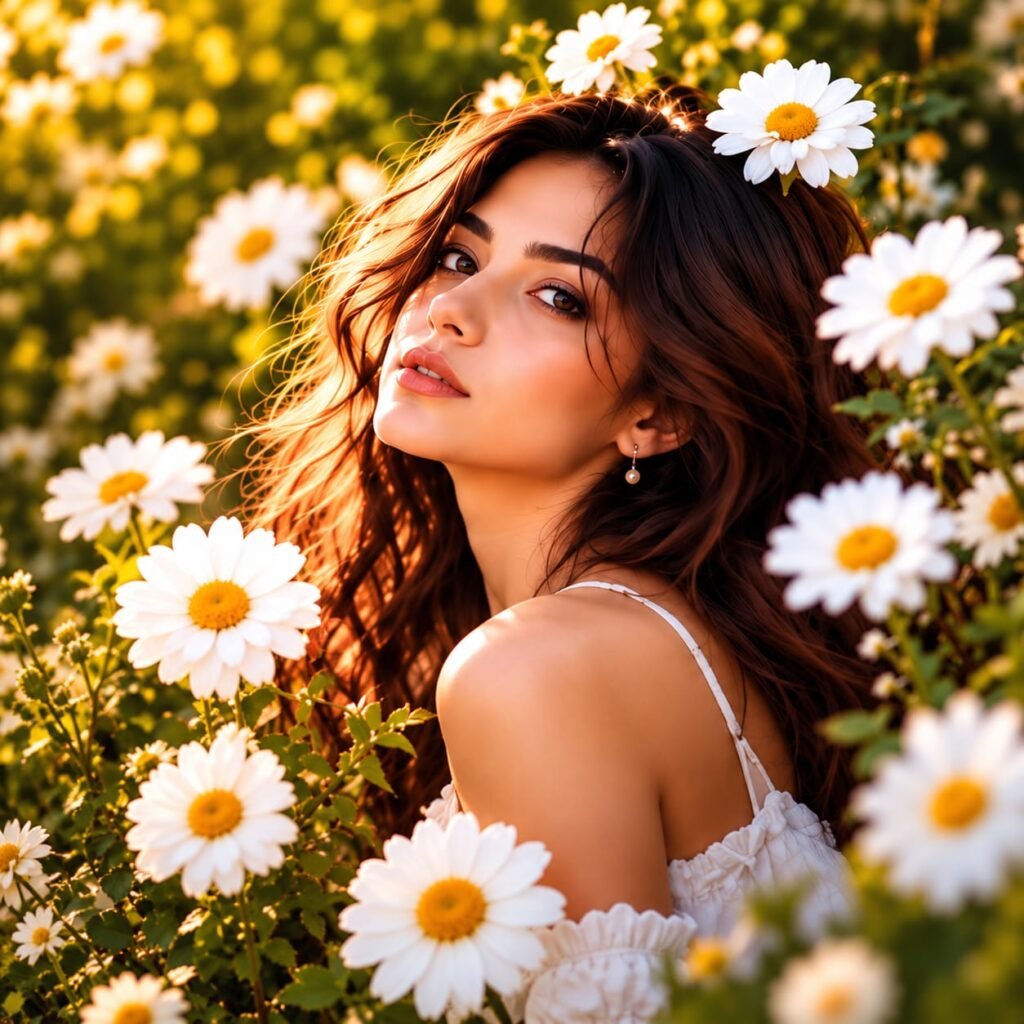
Create a beautiful, natural-looking portrait with this Daisy Flower Girl AI Photo Prompt. This aesthetic photography style features a young woman surrounded by white daisies, soft golden sunlight, and a dreamy garden background. Her flowing brown hair, delicate white outfit, and natural expression create a warm and elegant look. If you love floral photography, Pinterest-inspired portraits, or soft golden-hour pictures, this AI photo prompt can help you create a similar visual style. Use it with your preferred AI image generator to experiment with beautiful flower portraits for social media, profile pictures, and creative photography projects.
AI Photo Prompt
Create an ultra-realistic aesthetic portrait of a beautiful young adult woman sitting in a lush daisy garden during golden hour. She has long, naturally wavy dark brown hair with subtle chestnut highlights illuminated by warm sunlight. Her expressive brown eyes, natural eyebrows, soft peach-toned lips, and gentle facial expression create an elegant, candid appearance. She wears a delicate white off-shoulder summer dress with thin straps and subtle ruffled details. Large white daisies with bright yellow centers surround her face and shoulders, with a few flowers softly blurred in the foreground to create beautiful depth. Warm sunlight filters through the green foliage, producing golden rim lighting around her hair and a soft glow on her skin. Use a shallow depth of field, creamy natural bokeh, realistic skin texture, detailed individual hair strands, accurate facial proportions, soft cinematic color grading, rich natural greens, warm amber highlights, and delicate white floral details. Composition: close-up three-quarter portrait, slightly turned shoulders, face positioned near the center, relaxed pose, looking gently toward the camera. Photography style: premium editorial portrait photography, 85mm portrait lens, f/1.8 aperture, photorealistic details, natural lighting, high dynamic range, professional DSLR quality, vertical 4:5 composition. No text, no logo, no watermark, no artificial skin smoothing, no exaggerated facial features, no distorted hands, no oversaturated colors.
How to Create This Look
Follow these simple steps to recreate the daisy flower portrait using an AI image generator.
- Choose an AI image generator: Open your preferred AI image generation tool.
- Copy the complete prompt: Copy the prompt above and paste it into the image generator.
- Select the aspect ratio: Choose a vertical 4:5 ratio for a portrait similar to the reference image.
- Adjust the lighting: Keep golden-hour sunlight, warm highlights, and soft shadows for a natural appearance.
- Add floral details: Include white daisies, yellow flower centers, and green garden foliage.
- Generate the image: Create several variations and select the one with the most natural lighting and realistic details.
- Download and optimize: Save the best result in high quality and resize it according to your website’s requirements.
What Makes This Prompt Work
The beauty of this daisy flower portrait comes from the combination of natural lighting, floral composition, and realistic photography details.
Golden-hour lighting: Warm sunlight adds depth to the hair and creates a soft glow across the portrait.
White daisy flowers: The white petals and yellow centers create a fresh, cheerful contrast against the green garden background.
Shallow depth of field: A blurred background keeps attention on the subject while adding a professional photography effect.
Natural skin texture: Realistic skin details help avoid the artificial appearance often found in poorly generated AI portraits.
Careful composition: Foreground flowers, softly illuminated hair, and a close-up camera angle create a visually balanced image.
Detailed AI instructions: Specifying the lens, aperture, lighting, clothing, and background gives the image generator clearer creative direction.
Best Uses
This daisy flower girl AI photo prompt works well for several creative projects:
- Instagram portraits: Create aesthetic pictures for your social media profile or feed.
- Pinterest inspiration: Design floral portrait images for aesthetic photography boards.
- AI photography portfolios: Showcase realistic AI-generated portrait styles.
- Blog featured images: Use a properly licensed and optimized version for relevant photography articles.
- Creative projects: Experiment with different flowers, outfits, lighting conditions, and garden backgrounds.
- Profile pictures: Generate soft, elegant portraits with a natural outdoor appearance.
- Seasonal content: Create spring-inspired visuals featuring daisies and warm sunlight.
Create a Beautiful Daisy Flower Girl Portrait with AI
A Daisy Flower Girl AI Photo Prompt is a creative way to generate beautiful floral portraits with realistic lighting, natural expressions, and a dreamy garden atmosphere. This photography style combines delicate white daisies, warm golden sunlight, and soft background blur to create an elegant image that feels like a professional outdoor photoshoot.
If you enjoy aesthetic portraits, floral photography, and AI-generated images, this prompt gives you a useful starting point. You can use it to create images for social media, photography inspiration, personal creative projects, and visual content for your website.
Why Choose a Daisy Flower Girl AI Photo Prompt?
Daisies are popular in aesthetic photography because their white petals and yellow centers create a fresh, natural appearance. When combined with warm sunlight and green foliage, they help produce a balanced and visually appealing portrait.
This daisy flower girl portrait prompt focuses on several important photography elements. Golden-hour lighting adds warmth to the subject’s hair and skin, while the shallow depth of field creates a soft, blurred background. Natural skin texture, realistic hair strands, and carefully described facial features help guide the AI toward a more photographic result.
The prompt also describes the subject’s white summer dress, relaxed pose, and three-quarter portrait composition. These details help establish a consistent visual style without making the image look overly artificial.
How to Get Better AI Flower Portraits
Start by copying the complete AI prompt into your preferred image generator. Select a vertical portrait aspect ratio and generate a few variations. If the results look too bright, reduce the lighting intensity or ask for softer highlights. If the flowers appear unnatural, request realistic daisy petals, natural flower spacing, and detailed yellow centers.
You can also experiment with different backgrounds, including a wildflower meadow, a botanical garden, or a sunlit countryside setting. For a cooler aesthetic, replace the golden-hour lighting with soft morning light.
Where Can You Use These AI Portraits?
These floral portraits are suitable for Instagram content, Pinterest inspiration, AI photography portfolios, and relevant blog articles. They can also help creators explore different portrait compositions without arranging a physical photoshoot.
For website publishing, use a descriptive image filename and relevant alt text. Compress the image without noticeably reducing its quality, and make sure the image dimensions fit your page layout.
Create Your Own Floral Photography Style
The best results come from experimenting with lighting, composition, and flower placement. Use this Daisy Flower Girl AI Photo Prompt as a starting point, then adjust the details to develop your own creative style. Each generation may produce a different result, so compare multiple versions and choose the image that best matches your vision.
Whether you prefer soft spring colours or rich golden-hour tones, this prompt can help you explore the beauty of AI-generated floral portrait photography.
FAQs
1. What is a Daisy Flower Girl AI Photo Prompt?
It is a text description used with an AI image generator to create a portrait featuring a woman surrounded by daisies, natural lighting, and a garden background.
2. How do I create a realistic daisy flower portrait with AI?
Copy the complete prompt into your preferred AI image generator. Specify realistic skin texture, natural hair, white daisies, golden-hour lighting, and a shallow depth of field.
3. Which aspect ratio is best for a daisy flower portrait?
A vertical 4:5 aspect ratio works well for social media portraits. You can choose other ratios depending on your website layout or intended use.
4. Can I customize this AI flower portrait prompt?
Yes. You can change the outfit, hairstyle, flower arrangement, background, camera angle, and lighting to create different variations.
5. Can I use AI-generated daisy portraits commercially?
Commercial use depends on the AI tool’s terms, the image’s content, and any applicable rights. Check the relevant terms before using an image commercially.
6. How can I make my AI flower portrait look more natural?
Use specific instructions for realistic skin texture, individual hair strands, balanced lighting, natural flower details, and subtle background blur. Generate multiple variations to compare the results.