Intro
Create a cozy winter portrait with snowy surroundings, warm clothing, coffee and cinematic cold-weather lighting.

AI Photo Prompt
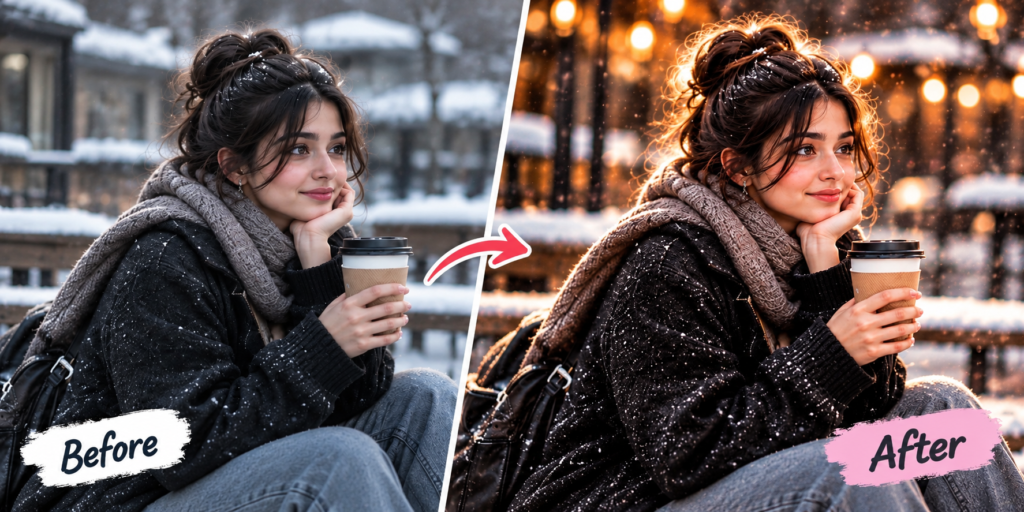
Create a realistic winter aesthetic portrait using the uploaded photo as the main reference. Keep the person’s face, identity and natural facial features unchanged. Place the subject in a beautiful snowy outdoor environment wearing a stylish warm winter coat and scarf. Add a warm coffee cup for a cozy lifestyle feeling. Use soft winter daylight, subtle falling snow, realistic skin texture, detailed clothing, natural shadows and cinematic depth of field. Create a premium winter photography effect with balanced cool surroundings and warm subject details. Keep the image realistic, sharp and natural. Do not add any logo, website name, watermark, text or branding.
How to Create This Look
- Upload a clear portrait.
- Paste the winter prompt.
- Generate the image.
- Adjust snow or clothing if needed.
- Try different winter backgrounds.
What Makes This Prompt Work?
Snow, warm clothing, coffee and soft winter light create a cozy contrast between the cold environment and warm subject.
Best Uses
Winter Instagram posts, Pinterest, seasonal content, profile pictures and lifestyle photography.
Winter Aesthetic Photo Prompt: Complete Guide
A winter aesthetic photo prompt can transform a normal portrait into a cozy cold-weather photograph. AI editing can add snowy surroundings, warm clothing, soft winter lighting and lifestyle details such as a coffee cup.
This prompt is designed around the popular combination of cool snowy surroundings and warm subject details. A scarf, winter coat and coffee create a comfortable seasonal atmosphere while cinematic depth helps separate the subject from the background.
To use the prompt, upload a clear portrait to an AI image editing tool. Keep the original face as the main reference and provide the complete prompt. You can customize the scene by changing the snow level, clothing, background or lighting.
Winter photography benefits from controlled lighting. Soft daylight can make the skin look natural while maintaining the cool appearance of the environment. Adding realistic shadows and subtle falling snow can further improve the scene.
The winter aesthetic photo prompt is useful for seasonal social-media posts, profile photos, Pinterest content and creative photography projects. You can also create different versions for morning, evening or snowy mountain environments.
For a realistic result, avoid excessive snow effects or unrealistic colors. Natural skin texture, realistic clothing and balanced lighting should remain the priority.
FAQs
Q1. Can I use this prompt for snowy photos?
Yes.
Q2. Can I change the winter outfit?
Yes.
Q3. Can I remove the coffee cup?
Yes, simply remove that instruction from the prompt.