Introduction
Professional camera photography is all about capturing stunning details, beautiful lighting, and realistic textures. A high-quality camera setup can create impressive product visuals with a cinematic atmosphere. This AI photo prompt helps you generate a premium DSLR camera scene with dramatic orange lighting, rich shadows, and a professional photography studio background. Whether you are a photography enthusiast or a digital creator, this prompt will help you create eye-catching visuals.
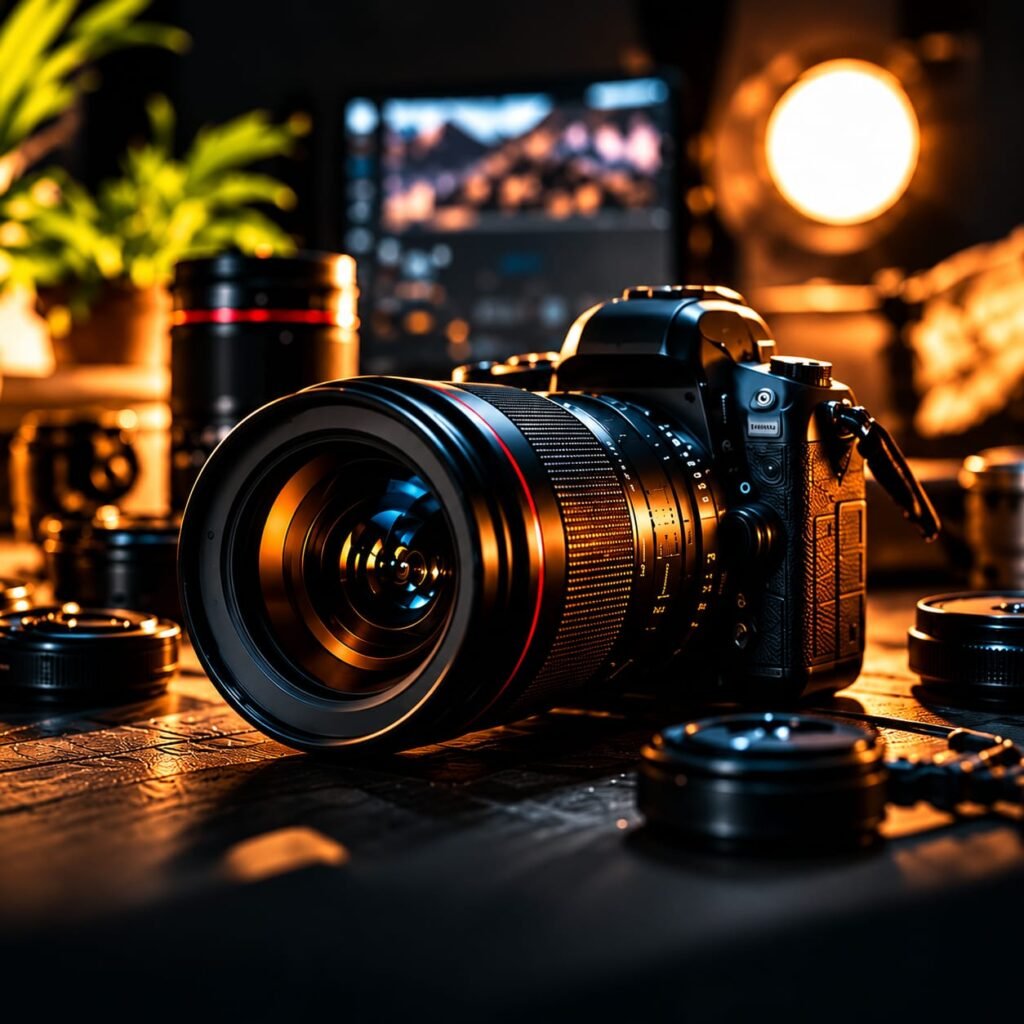
AI Photo Prompt
Create a cinematic and ultra-realistic professional camera photography scene featuring a premium black DSLR mirrorless camera with a large wide-angle lens placed on a dark wooden studio table. Show the camera from a low front three-quarter angle, highlighting the detailed lens glass, metallic rings, camera buttons, textured grip, and realistic reflections. Add a few professional camera lenses around the main camera. Use warm golden-orange studio lighting with subtle blue reflections on the lens. Include a softly blurred computer monitor, green indoor plants, and a glowing circular studio light in the background. Create a luxurious photography workspace with dramatic depth of field, realistic shadows, sharp foreground details, rich contrast, cinematic color grading, premium commercial product photography, professional studio atmosphere, ultra-detailed textures, photorealistic quality, 8K visual detail, landscape composition. No text, no logo, no website name, no watermark.
How to Create This Look
- Choose an AI image generator that supports realistic photography.
- Copy the complete professional camera photography prompt.
- Select a high-quality image generation setting.
- Add cinematic lighting and realistic camera details.
- Generate the image and review its sharpness.
- Save your favourite result for your creative project.
What Makes This Prompt Work
This prompt combines realistic camera details with cinematic studio lighting. As a result, the generated image looks professional and visually attractive.
The warm orange light creates a premium atmosphere. Meanwhile, subtle blue reflections add depth to the camera lens. The blurred background also keeps attention on the main subject.
In addition, the low-angle composition makes the camera look powerful and impressive. These details help create a realistic commercial photography style.
Best Uses
- Photography portfolio websites
- Camera and lens product promotions
- Professional photography blogs
- Social media creative posts
- Digital marketing campaigns
- AI photography demonstrations
- Technology and gadget websites
Create Stunning Professional Camera Photography with AI
Professional camera photography can make ordinary product visuals look extraordinary. With AI image generation, you can now create realistic camera scenes without setting up an expensive photography studio. This prompt is designed to produce a premium DSLR camera image with cinematic lighting and impressive details.
First, the main camera takes centre stage. Its large lens, textured body, and metallic details create a realistic appearance. Moreover, the warm studio lighting adds a luxurious touch to the entire composition.
Why Choose This AI Photography Prompt?
A good AI prompt needs clear subject details, lighting instructions, and camera angles. This professional camera photography prompt combines all three elements.
For example, the low-angle camera view highlights the lens and camera body. The shallow depth of field creates a beautiful background blur. Additionally, golden and blue reflections make the image more attractive.
You can also adjust the lighting and background to create different photography styles. Therefore, this prompt is useful for both beginners and experienced digital creators.
How to Get Better AI Photography Results
For the best results, use a detailed description of the camera and its surroundings. Always mention the lighting direction, image composition, and background elements.
Furthermore, avoid adding unnecessary objects to the scene. Keep the main camera as the primary focus. This approach helps create cleaner and more professional visuals.
Final Thoughts
Professional camera photography is a great style for creating premium product visuals. With the right AI prompt, you can generate detailed camera images with realistic lighting and cinematic effects.
Try this prompt, experiment with different lighting styles, and create your own professional photography visuals.
FAQs
1. Can AI generate realistic professional camera photography?
Yes. AI image generators can create realistic DSLR camera visuals with detailed lenses, studio lighting, and professional backgrounds.
2. Which AI tools can create camera photography images?
You can try ChatGPT image generation, Midjourney, Leonardo AI, or other AI image generators.
3. How can I make my AI camera images look realistic?
Use detailed prompts, realistic lighting, natural reflections, accurate camera angles, and high-quality image settings.
4. Can I use these images for my website?
Yes, you can use generated images according to the commercial usage terms of your chosen AI image generator.